 English
 Tiếng Việt
Instructions for registering university admission wishes in 2022 on the system via the Ministry of Education and Training's Admissions Portal



Candidates please follow and refer to make your application registration as smooth as possible!
- Candidates register for official admission from July 22 to 5:00 p.m. on August 20, 2022
- School code of Dai Nam University: DDN
Below are instructions for registering for online university admissions in 2022 on the Ministry of Education and Training's Admissions Support System:

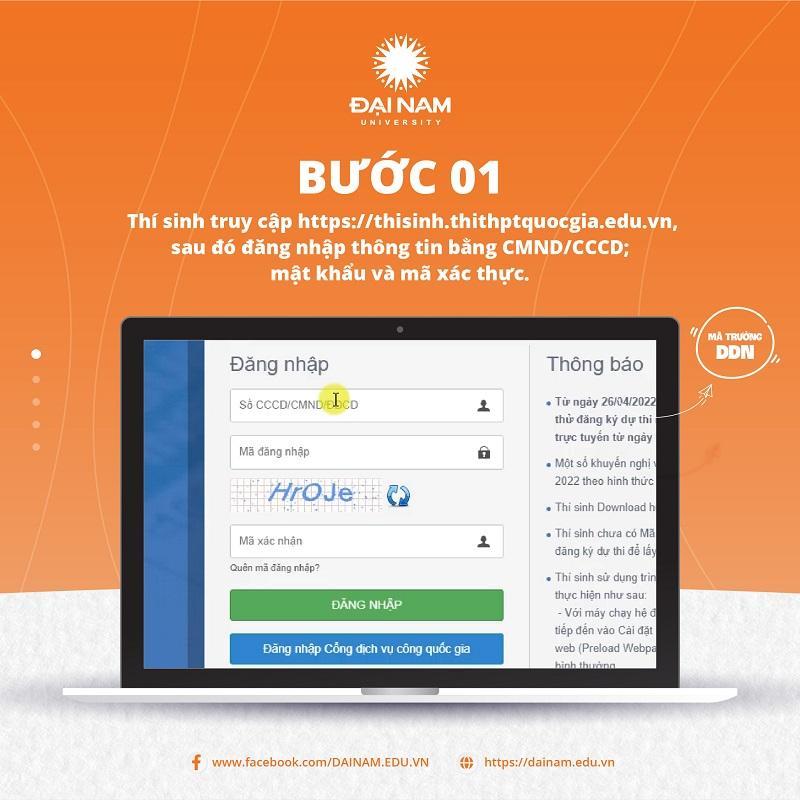
Step 1: Candidates access the General Admission Support System of the Ministry of Education and Training at: https://thisinh.thithptquocgia.edu.vn .
On the homepage interface, candidates enter information including ID card/CCCD; password and verification code then LOG IN to the system.
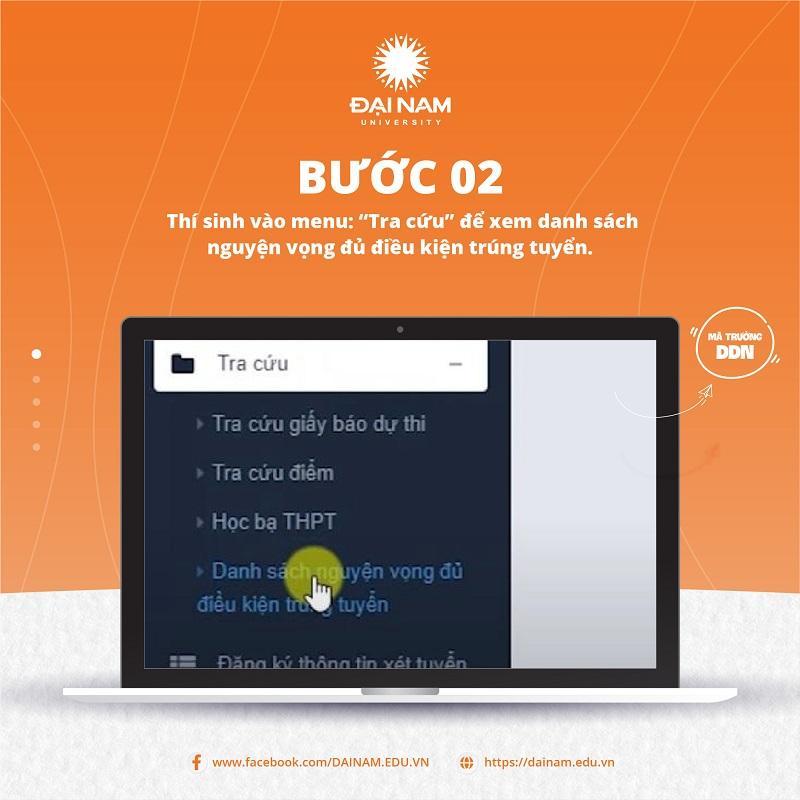
Step 2: Candidates go to the menu: "Search" to see the list of eligible wishes.
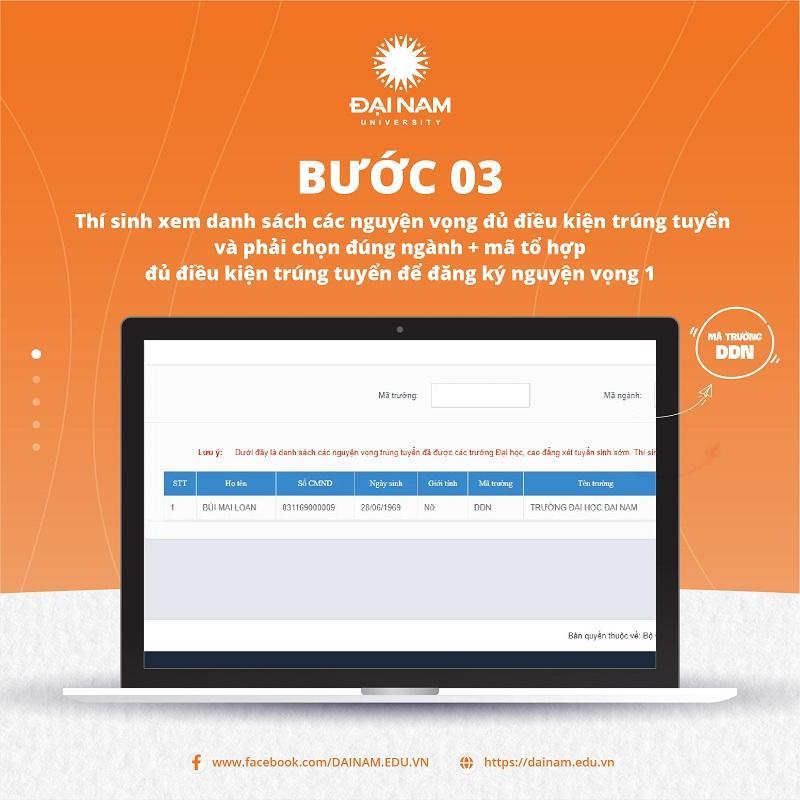
Step 3: Candidates view the list of eligible admission wishes and must choose the correct major + combination code eligible for admission to register for wish 1.
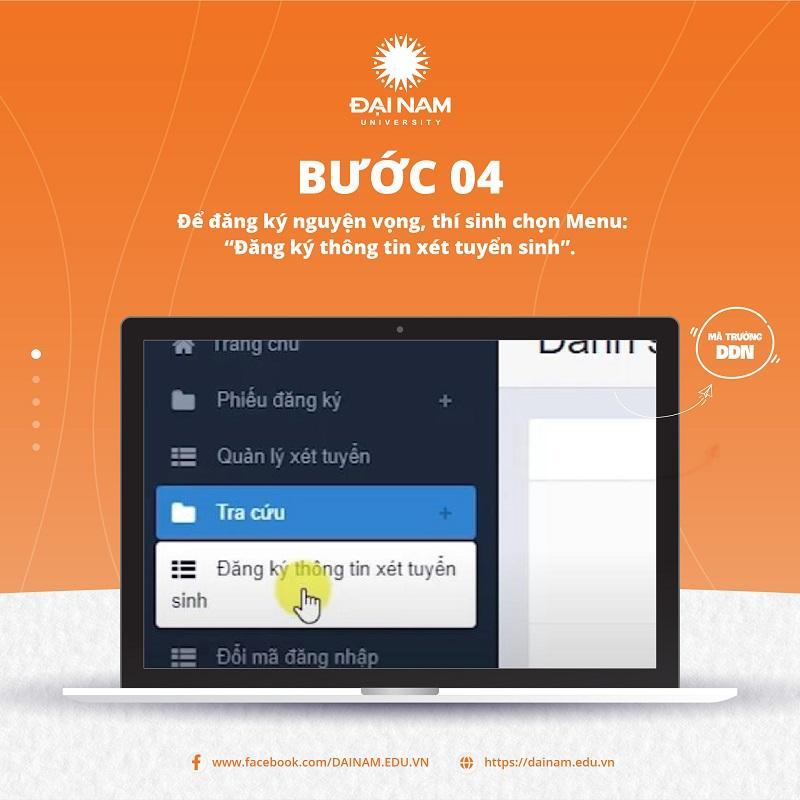
Step 4: To register your wishes, candidates select Menu: "Register for admission information".
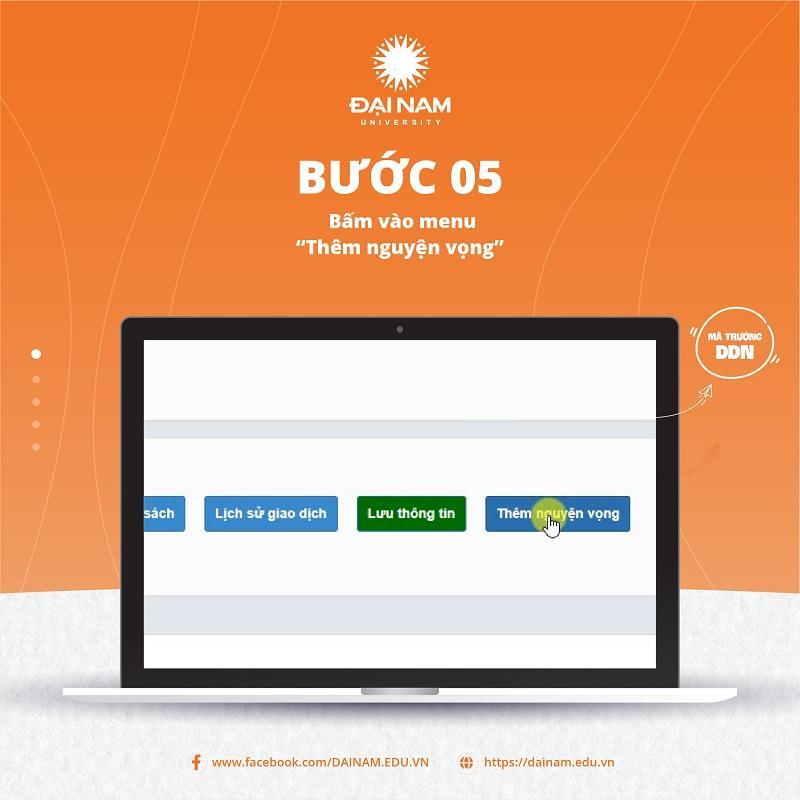
Step 5: Click on the menu “Add wish”
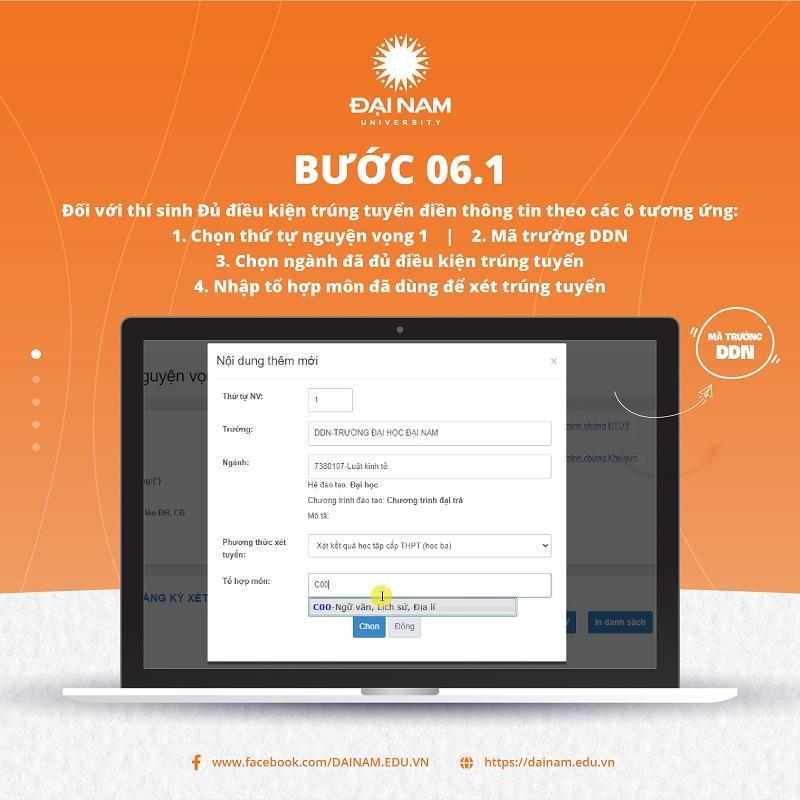
Step 6:
* For candidates who are eligible to pass, fill in the information in the corresponding boxes:
+ Select order of preference 1
+ DDN field code
+ Choose a major that meets the admission requirements
+ Enter the subject combination used for admission
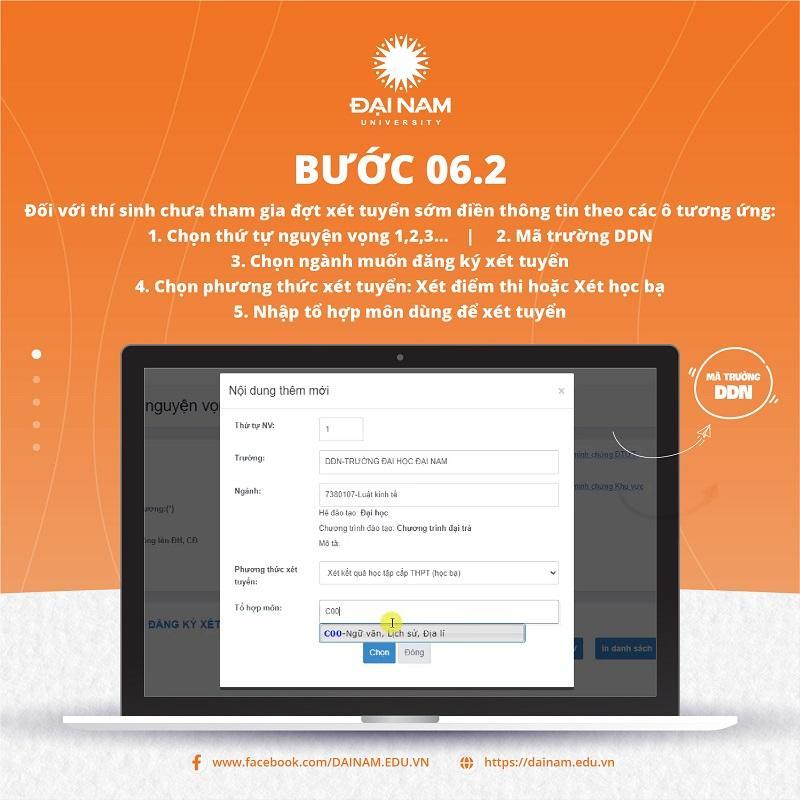
* For candidates who have not participated in the early admission round, fill in the information in the corresponding boxes:
+ Choose the order of your wishes 1,2,3…
+ DDN field code
+ Select the major you want to apply for
+ Select admission method: Exam score or Academic transcript
+ Enter the subject combination used for admission
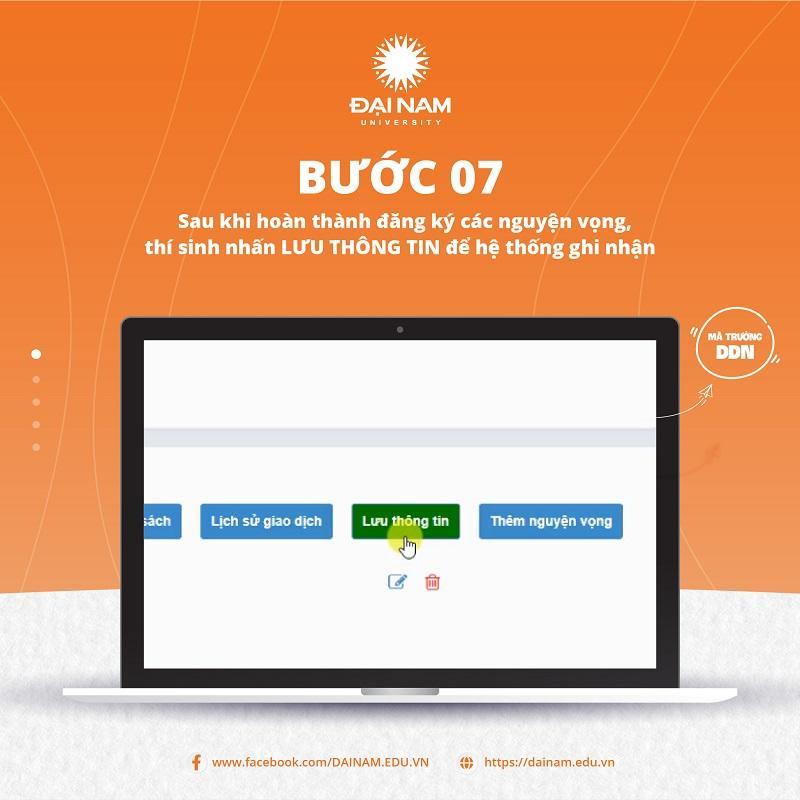
Step 7: After completing the registration of wishes, candidates click SAVE INFORMATION for the system to record.
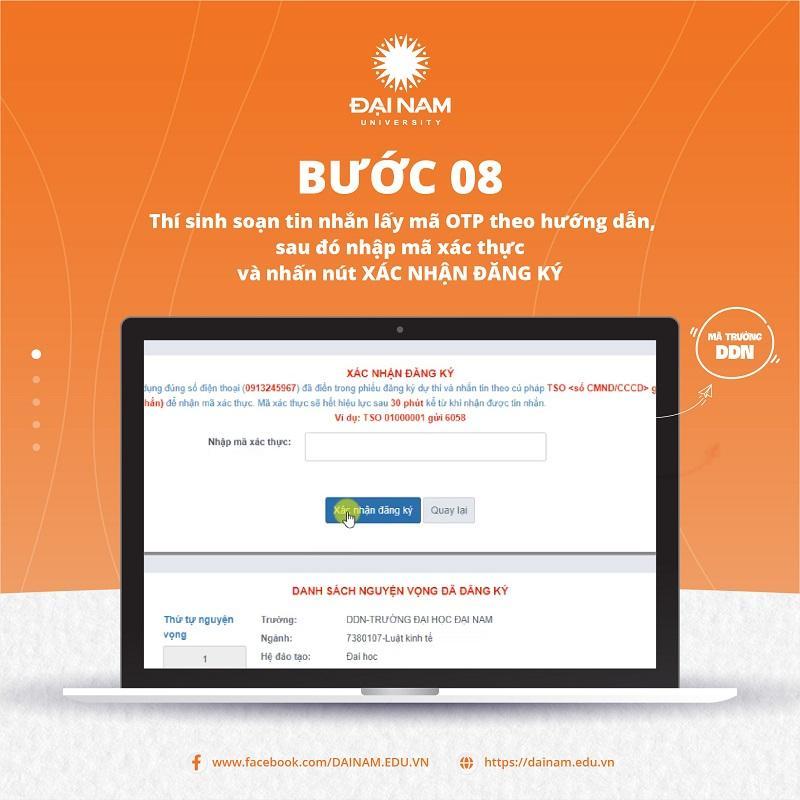
Step 8: Candidates compose a message to get the OTP code according to the instructions, then enter the verification code and press the Confirm registration button.
Step 9: To make payment of the desired amount, candidates click the Payment button.
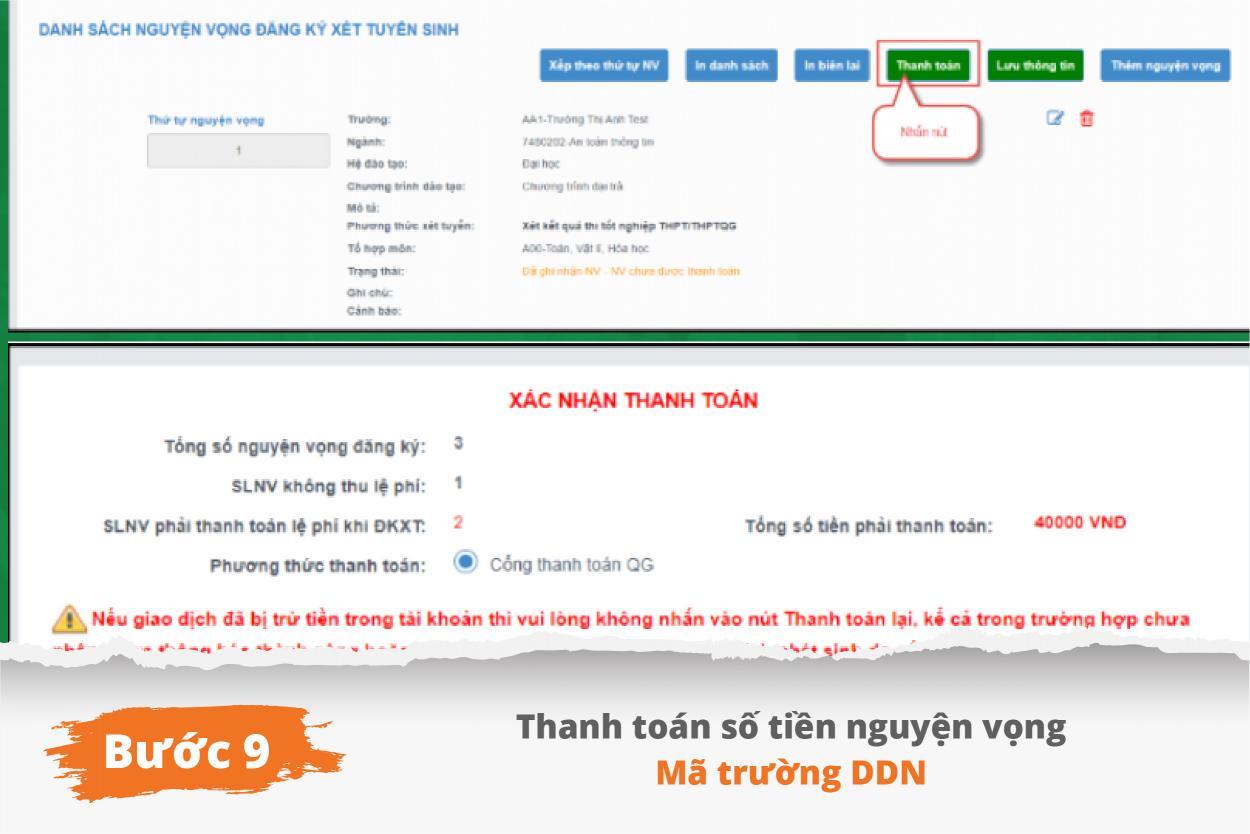
On the payment confirmation screen, the candidate reads the content and presses the Confirm Payment button.
Then the candidate clicks the Agree button to make payment.
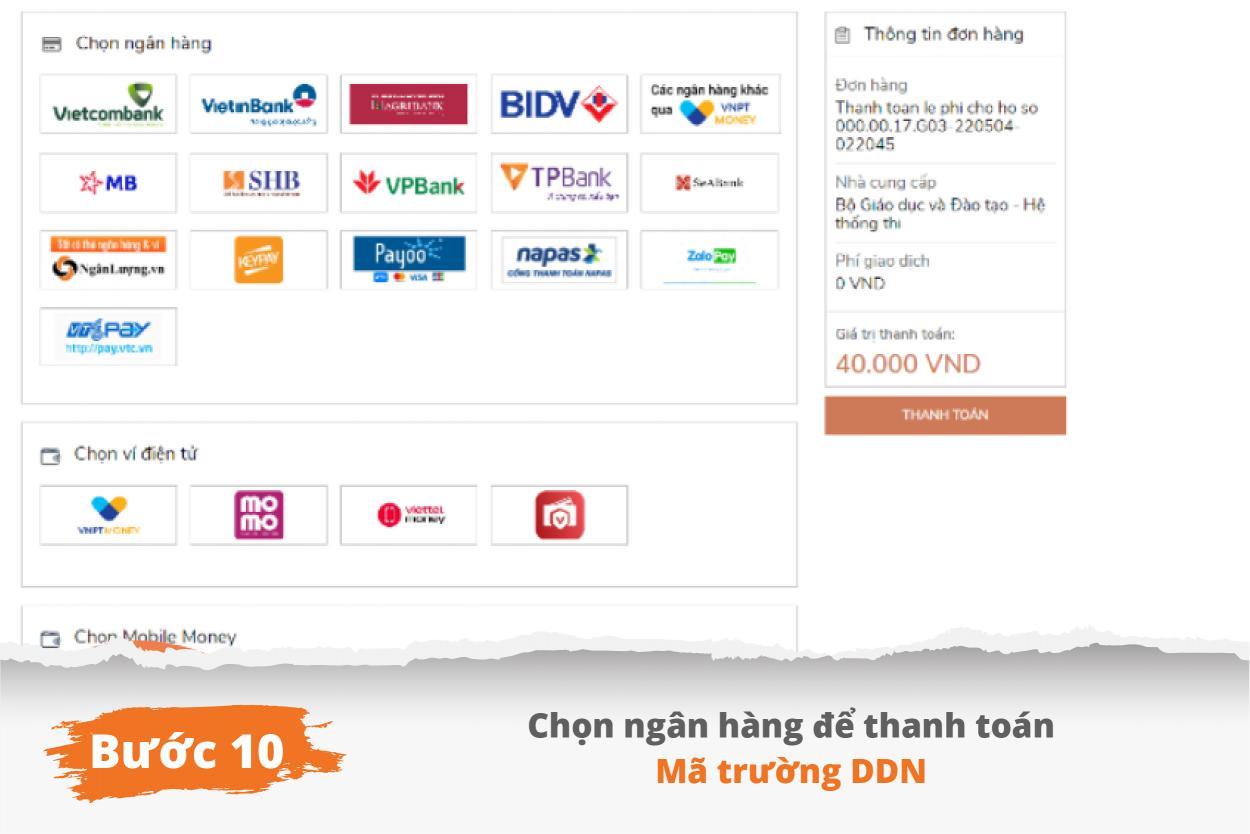
Step 10: Candidates choose banks and follow the instructions to make payment.
So you have completed the registration, adjustment, and addition of wishes. Wish you a successful registration!









Register for admission consultation 2025
scholarships and tuition support worth up to 55 billion VND

scholarships and tuition support worth up to 55 billion VND

